The full cost of the run
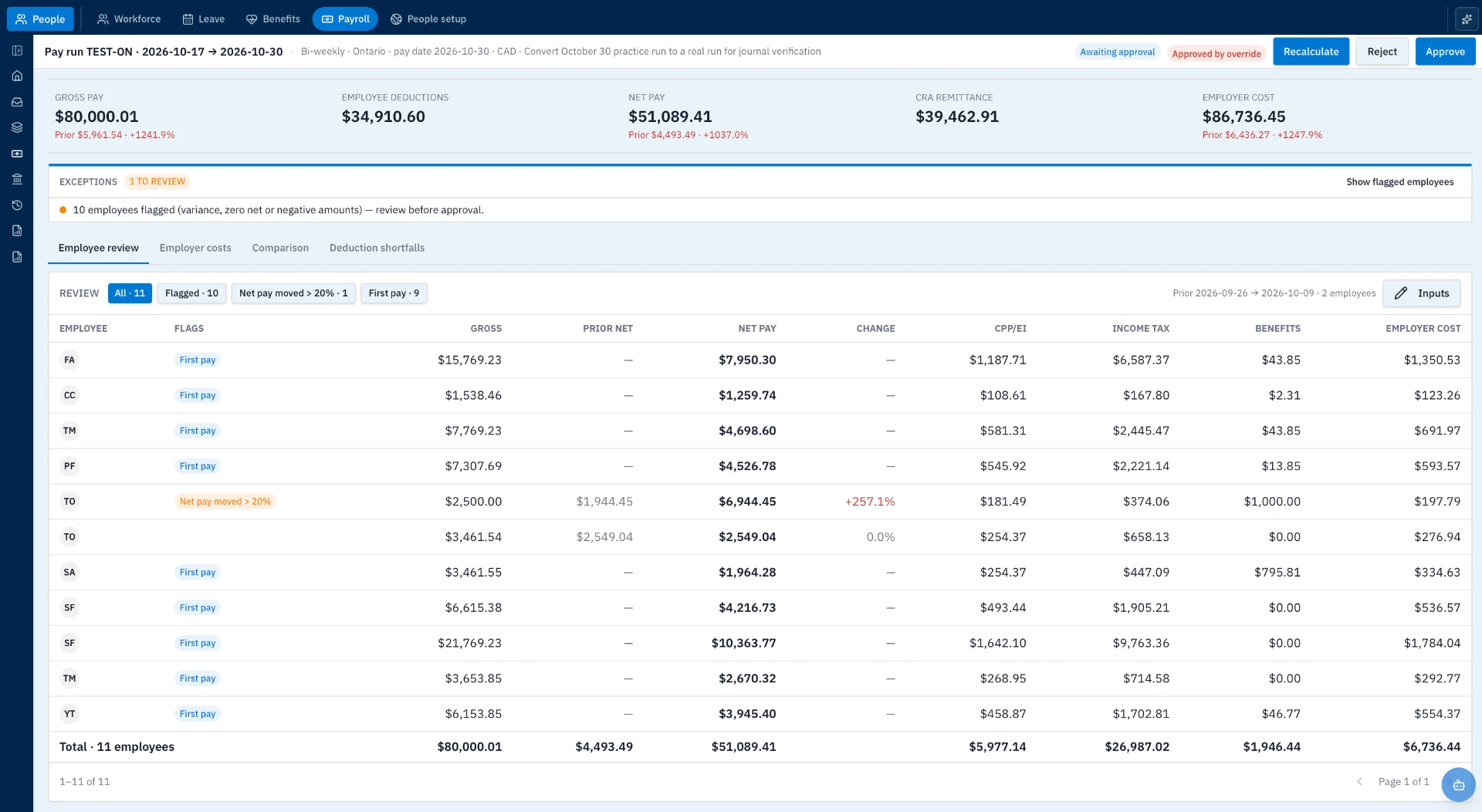
Gross pay, employee deductions, net pay, CRA remittance and employer cost are visible together.
Know what changed.
Before you approve the pay run.
Review employee pay, deductions and employer costs together. See the exceptions, keep leave balances in view and prepare pay statements without piecing the story together from separate files.
The work before payday
A new starter. A change in benefits. Unpaid leave. A net-pay movement that needs an explanation. The review is in the detail—not just the final total.
Lunari brings the pay-run summary and employee-level review into the same workspace, so the questions are visible before approval.
01 / Review the pay run
Compare current and prior net pay. Filter flagged employees and first payments. Review deductions, benefits and employer costs before choosing to recalculate, reject or approve.
Gross pay, employee deductions, net pay, CRA remittance and employer cost are visible together.
Flags draw attention to pay movements, first payments, and zero or negative amounts.
See current and prior pay beside CPP/EI, income tax, benefits and employer costs.
Open the run inputs and use the employee review, employer costs, comparison and deduction shortfall views.
Keep the pay group, period dates, pay date and currency visible during the review.
Review the run status alongside the figures, with recalculation, rejection and approval actions in the same view.
02 / Keep leave connected
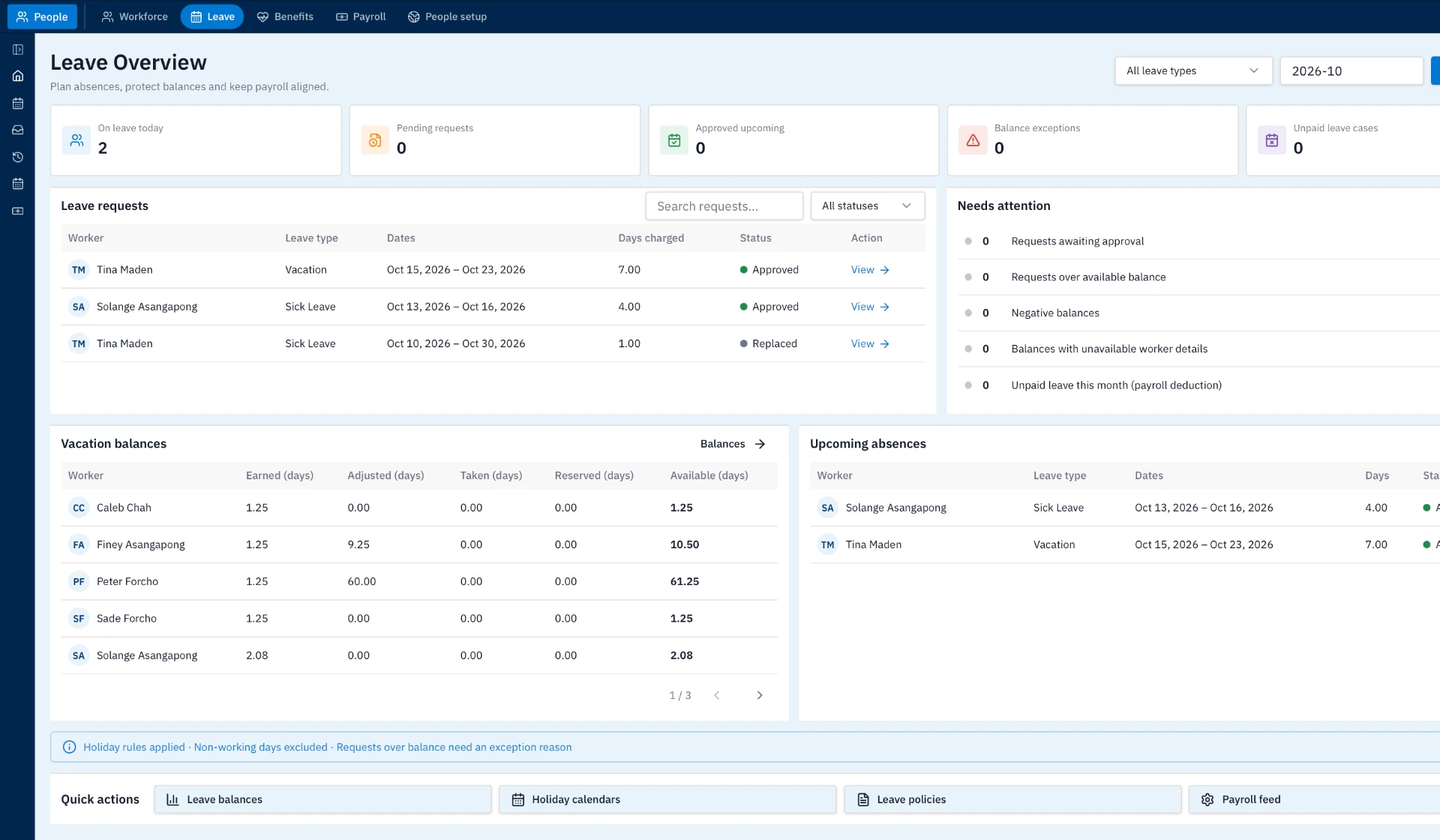
See leave requests, vacation balances and upcoming absences together. Identify requests awaiting approval, balances needing attention and unpaid leave cases before they become last-minute questions.
03 / Explain the payment
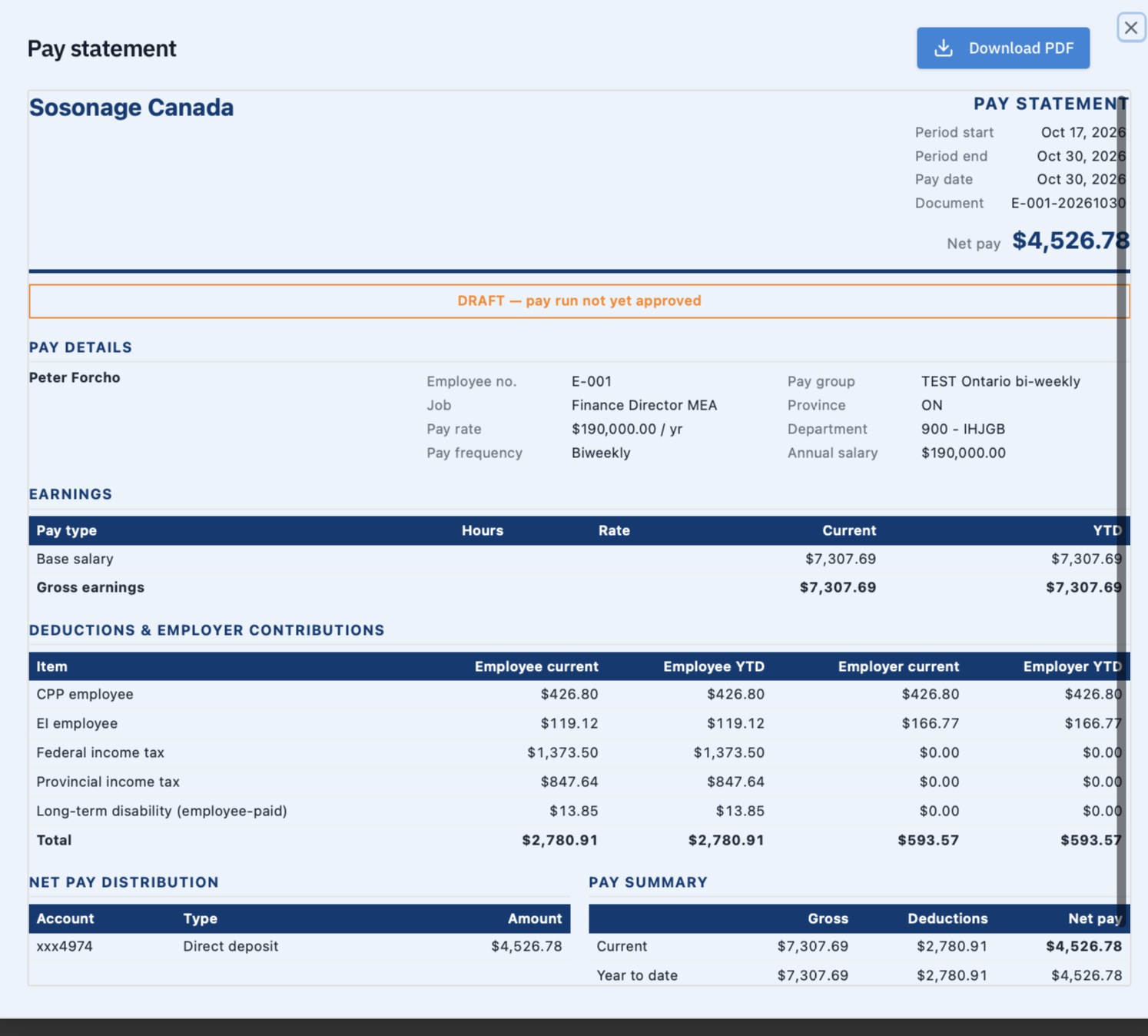
Prepare a pay statement that sets out earnings, employee deductions, employer contributions and net-pay distribution. Current and year-to-date columns keep the breakdown readable.
The supplied example is a Canadian test run. Payroll coverage and local requirements are confirmed during your walkthrough.
Explore the wider People & Payroll suite and related finance capabilities.
See employee review, leave balances and pay statements in Lunari—and discuss what your payroll setup needs.
Book a Payroll walkthrough