Narrative & formatting
Write and format disclosure text alongside its financial statement preview.
Your statements. Your notes.
The numbers behind both.
Prepare financial statements and supporting disclosures with account mapping, note schedules and reconciliation in the same workspace. Stop checking the report against a separate spreadsheet.
The last mile of reporting
A balance in the ledger is only the beginning. It still needs a place in the statements, a supporting note, an explanation and a final presentation.
When those live in different files, a change to one number becomes a search for everywhere else it appears.
Lunari puts the financial statement, the disclosure and the source accounts side by side—so you can see what ties, and what doesn’t.
01 / Prepare the statements
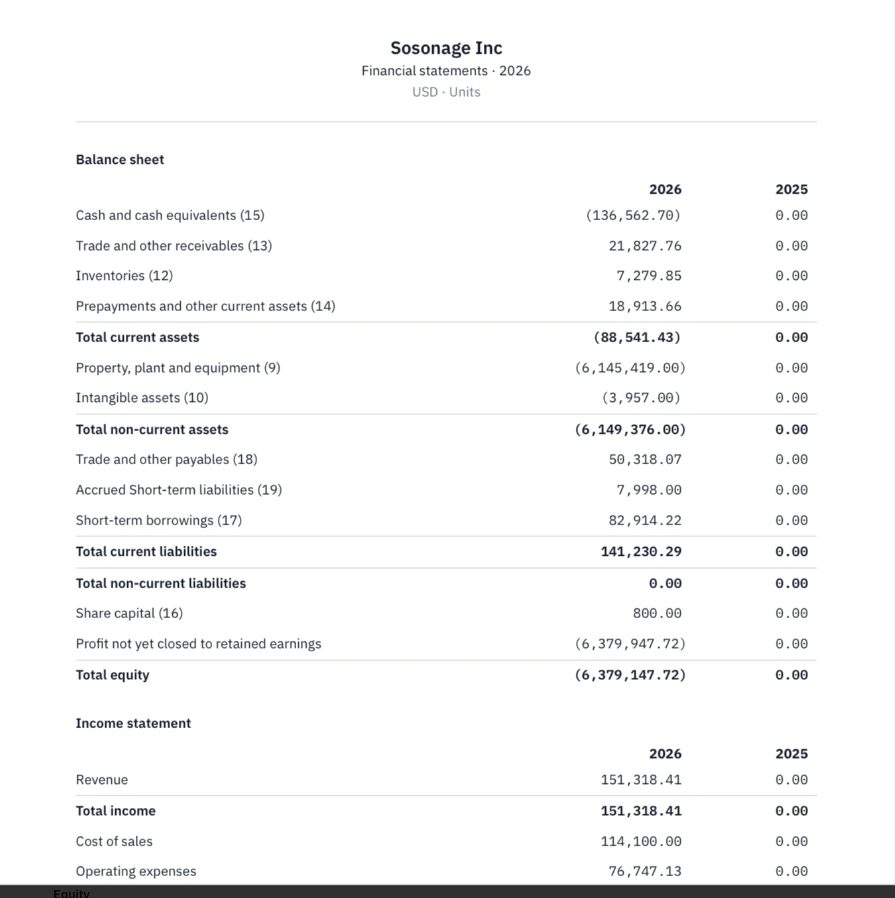
Organise the reporting document around the statements and disclosures it actually needs. See current and comparative figures together, with note references beside the relevant lines.
Detail from your supplied financial statement preview.
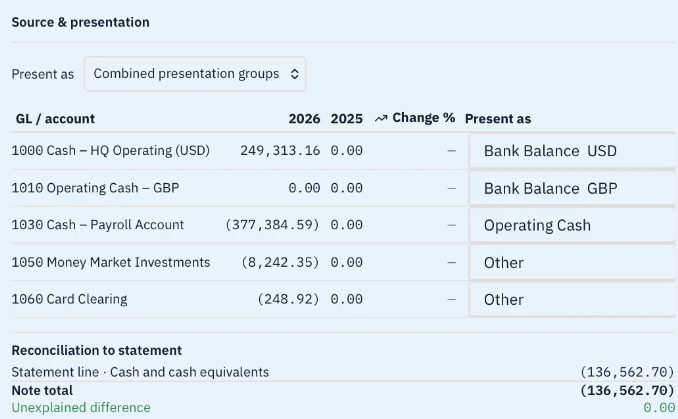
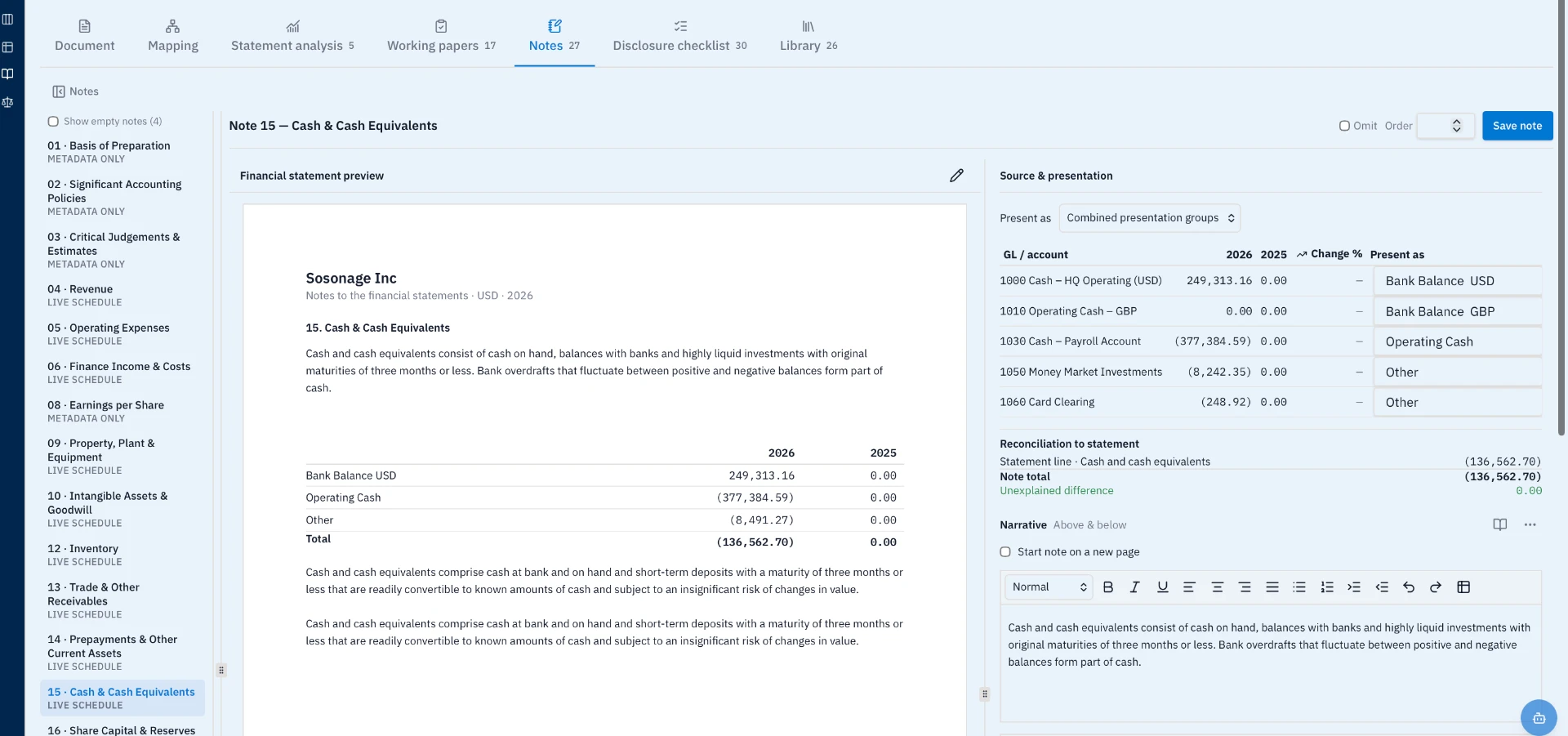
Cash & Cash Equivalents · Actual product detail, using sample data.
02 / Tie the note to the number
See the accounts feeding the note. Choose how they are presented. Compare the note total directly with its financial statement line.
In this cash note, the statement and note both show (136,562.70). The unexplained difference is 0.00—visible in the same view, not calculated in a separate workbook.
03 / Complete the disclosure
Edit the narrative above and below the financial table. Keep accounting policies, judgements and live schedules within the same reporting document.
Write and format disclosure text alongside its financial statement preview.
Group underlying accounts into the labels you need in the published note.
Keep the supporting preparation work within the financial reporting workspace.
Bring disclosure requirements into the same workspace as the document.
Work with a dedicated library alongside statements, notes and working papers.
Save the reporting document, view a version and prepare it for print or PDF.
Part of Record-to-Report
Explore the related close and reconciliation capabilities.
Lunari · Disclosure Management
Walk through account mapping, note preparation and statement reconciliation with us.
Book a Disclosure Management walkthrough